

Turn GeoDirectory forms into conversion‑friendly multi‑step experiences
PageBreak transforms your long “Add Listing” forms into a clean, guided wizard with three premium progress bars — Rainbow, Indeed, and Box. No code. Just better UX.

# Key Benefits
✓ More completions: shorter‑feeling steps, less friction.
✓ Clear orientation: users instantly know where they are and what’s next.
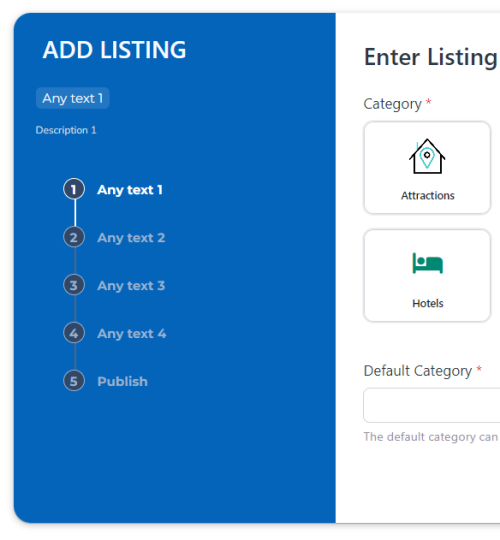
✓ Mobile‑first: elegant vertical timeline on phones; sleek horizontal on desktop.
✓ Zero headaches: plug‑and‑play with GeoDirectory’s native Page Break markers.
✓ Theme‑ready: inherits your fonts/colors; fine‑tune with live controls.
# What’s Inside
✓ Five Bar layout (Circles / Rainbow / Detailed / Indeed / Box).
✓ Automatically detects your gd-pagebreak-markers and labels.
✓ Uses the marker’s data-title (and optional data-desc) for ultra‑clear steps.
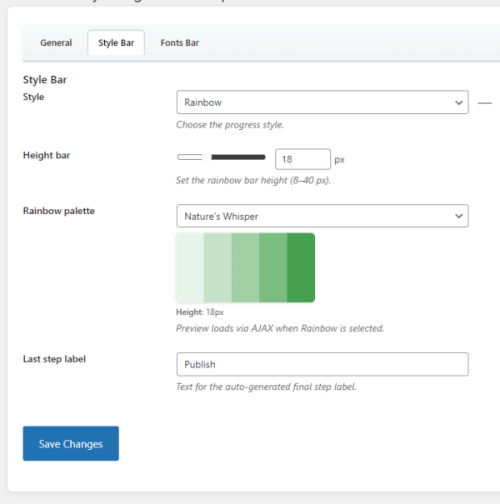
✓ Mini live preview in the admin .
# Design controls
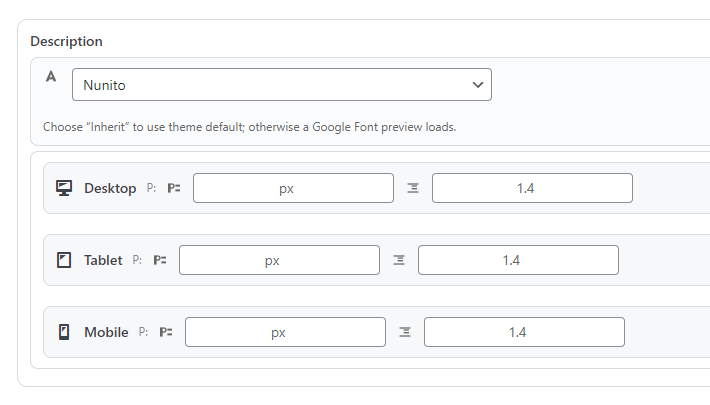
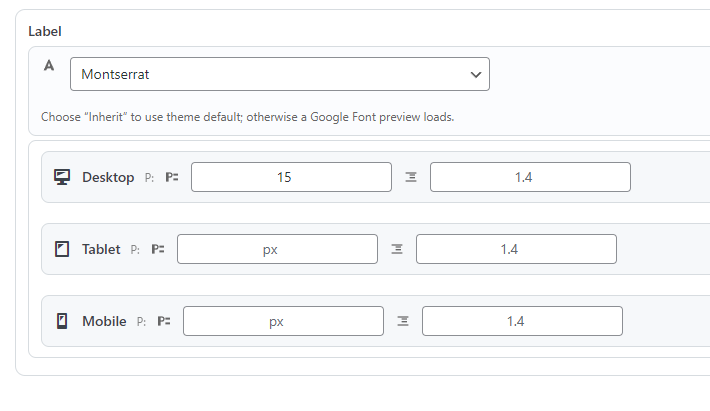
✓ Palettes & color pickers, size tweaks, spacing, subtle shadows.
✓ Mini live preview in the admin so you can see changes instantly.
✓ Vertical timeline with a slim colored bar on the left and step labels on the right.
✓ Tap‑friendly targets, readable typography, and smooth progress transitions.
✓ Honors system “reduced motion” preferences for accessibility.
# Developer & Performance
• Built for GeoDirectory — not a generic forms hack
• Works with the native **Add Listing** flow and Page Break markers.
• Respects GeoDirectory field validation and required fields.
• Compatible with your GD post types and themes.
• Lightweight CSS & minimal JS; no heavy frameworks.
• CSS Variables for fast theming; clean BEM‑style class names.
• Filters and hooks for agencies to customize behaviors at scale.
• Multisite and translation‑ready (.pot included).
# Feature List
• Five progress styles: Rainbow, Indeed, Box, Circles, Detailed
• Auto‑detection of steps via gd-pagebreak-marker
• Title & description labels from marker attributes
• Optional Ghost Step for the final submit stage
• Desktop horizontal bar or sidebar; mobile vertical timeline
• Palette manager + per‑style color pickers
• Size & spacing controls (height, radius, gaps)
• Optional step numbers and connecting lines
• Works with long, complex forms (hundreds of fields)
• Accessible focus states & reduced‑motion support
• RTL‑friendly and translation‑ready
• Multisite compatible
• Clean, extensible codebase with filters/actions
• No code required to get started
# FAQ
Q: Does PageBreak change how my fields save?
A: No. It enhances the UI, but it respects GeoDirectory’s native form and validation.
Q: Do I need to code anything?
A: Not at all. Configure styles from the admin and you’re set. Developers can extend it with filters if they want.
Q: Will it work with my theme or builder?
A: Yes. PageBreak is theme‑agnostic and works great with Block themes, Classic, and builders like Elementor.
Q: Can I customize colors and sizes?
A: Absolutely. Pick a style and tweak palettes, heights, radius, spacing, and more.
Q: What about mobile?
A: Phones get a slim vertical progress timeline with clear step labels. It’s designed mobile‑first.
Q: Is translation supported?
A: Yes. PageBreak ships with a .pot file and supports RTL layouts.
# Technical Specs
• Requires: WordPress (modern versions), GeoDirectory (v3+ recommended)
• Works with: modern browsers; honors reduced‑motion; responsive by design
• Code: Lightweight CSS + minimal JS; clean class naming; CSS Variables for quick theming

19,00 €Add to cart